Every ship, as a 3D ship you can work in.
Vishauz turns the general arrangement plan your ship already has into a complete 3D model. Use it to move equipment on board, train the crew, manage the build, and recycle the ship safely.
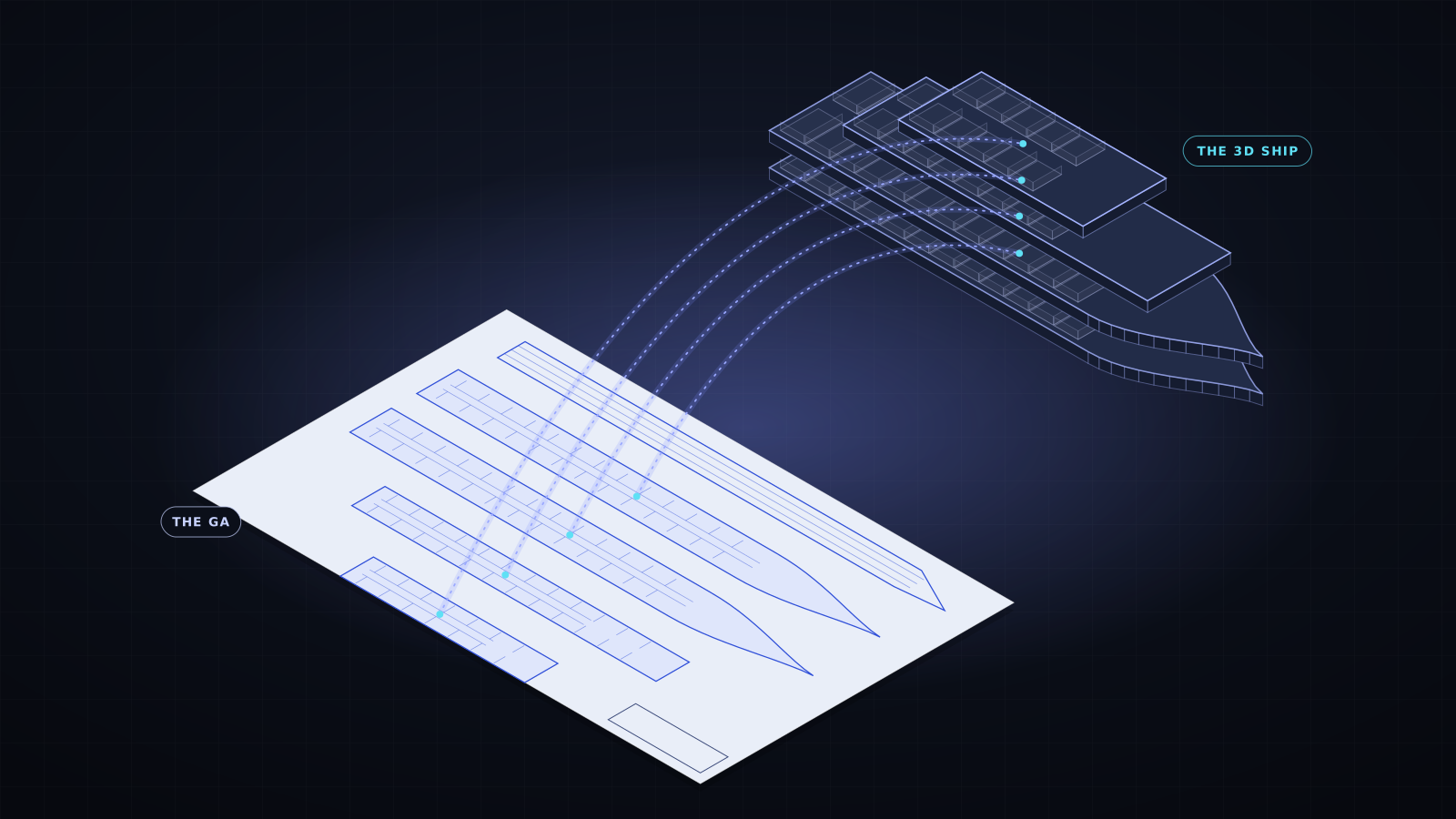
One GA in. Four tools out.
Each product starts from the same thing: the ship's general arrangement. Choose the one that fits the job, or use them together across the ship's life.
Plan how equipment moves through the ship.
Find the route, see every bottleneck, and know whether it fits before anything is lifted.
Walk every deck. Know every route. Train for the fire.
Crew learn the ship before boarding, and rehearse fire drills on a ship they already know.
Project management for shipbuilders.
Schedule, issues and progress for every ship, measured from the real build rather than estimated.
Hazardous materials, placed on the actual ship.
The IHM report becomes a 3D map, so every cut is planned with the hazards in view.
No 3D model needed. The GA is enough.
Every ship already has a general arrangement plan. Vishauz reads it and builds everything else from it.
Upload the GA
The general arrangement plan as a PDF, straight from the design office.
Decks & compartments
Each deck is found and stacked in order. Every compartment, door and stair is named and classified.
A 3D ship
A complete 3D model of the ship, ready to walk through, measure and plan in.
Add laser scans PLUS
Scans are aligned to the GA automatically, so you compare the plan with what is really there.
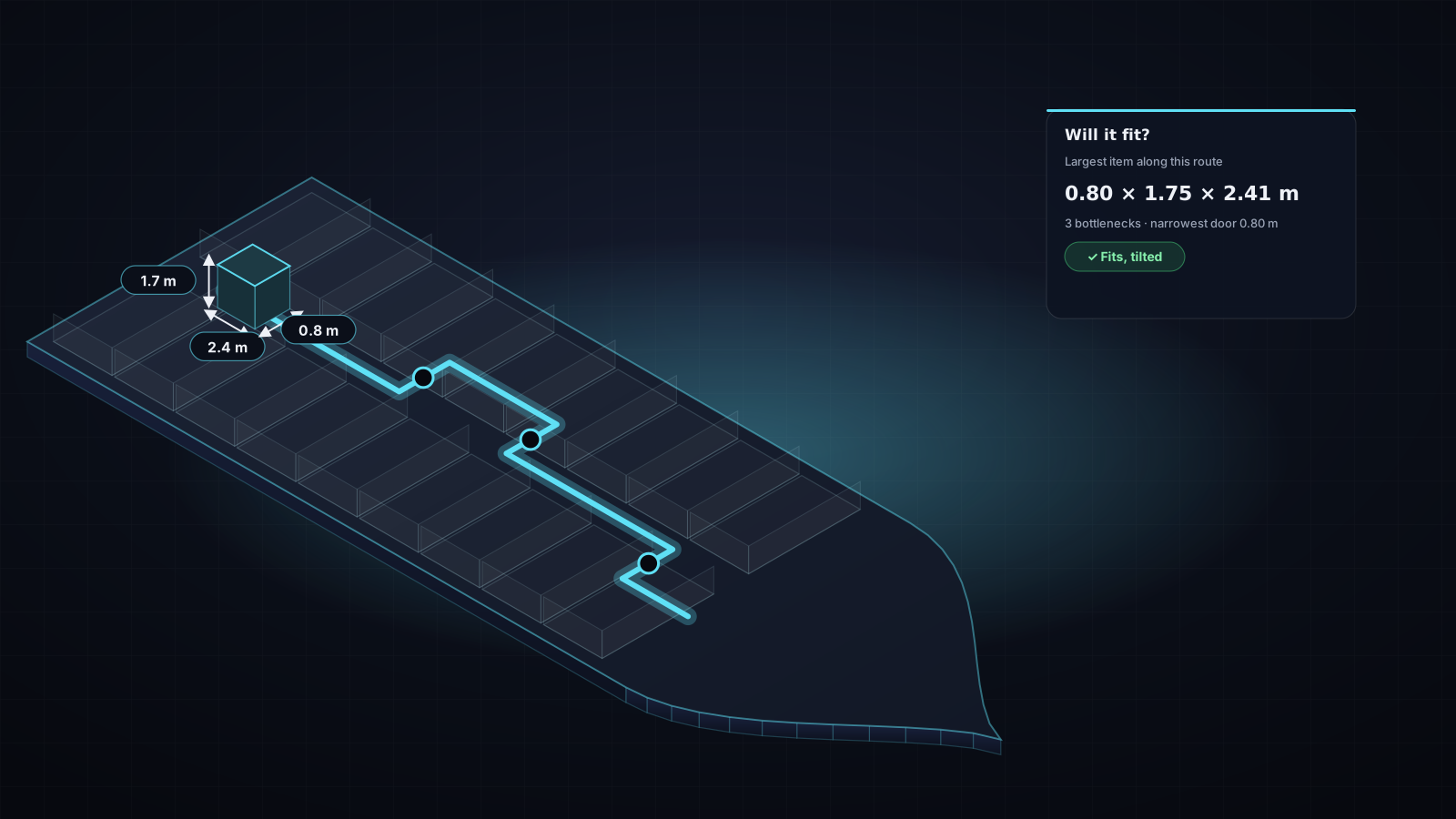
Will it fit through? Know before you lift.
Moving an engine part, a switchboard or a cabin module through a finished ship is where projects lose days. Mount shows the way through, and the size that can pass.
- Quickest route between any two spaces, through doors and down stairs, step by step.
- Route dimensions: the largest item that can pass in width, height and length, and every bottleneck along the way.
- Will my item fit? Draw its cross-section and length, and check it against the route, including the best way to carry it.
- Measure anywhere on the ship, and walk the route in 3D first.
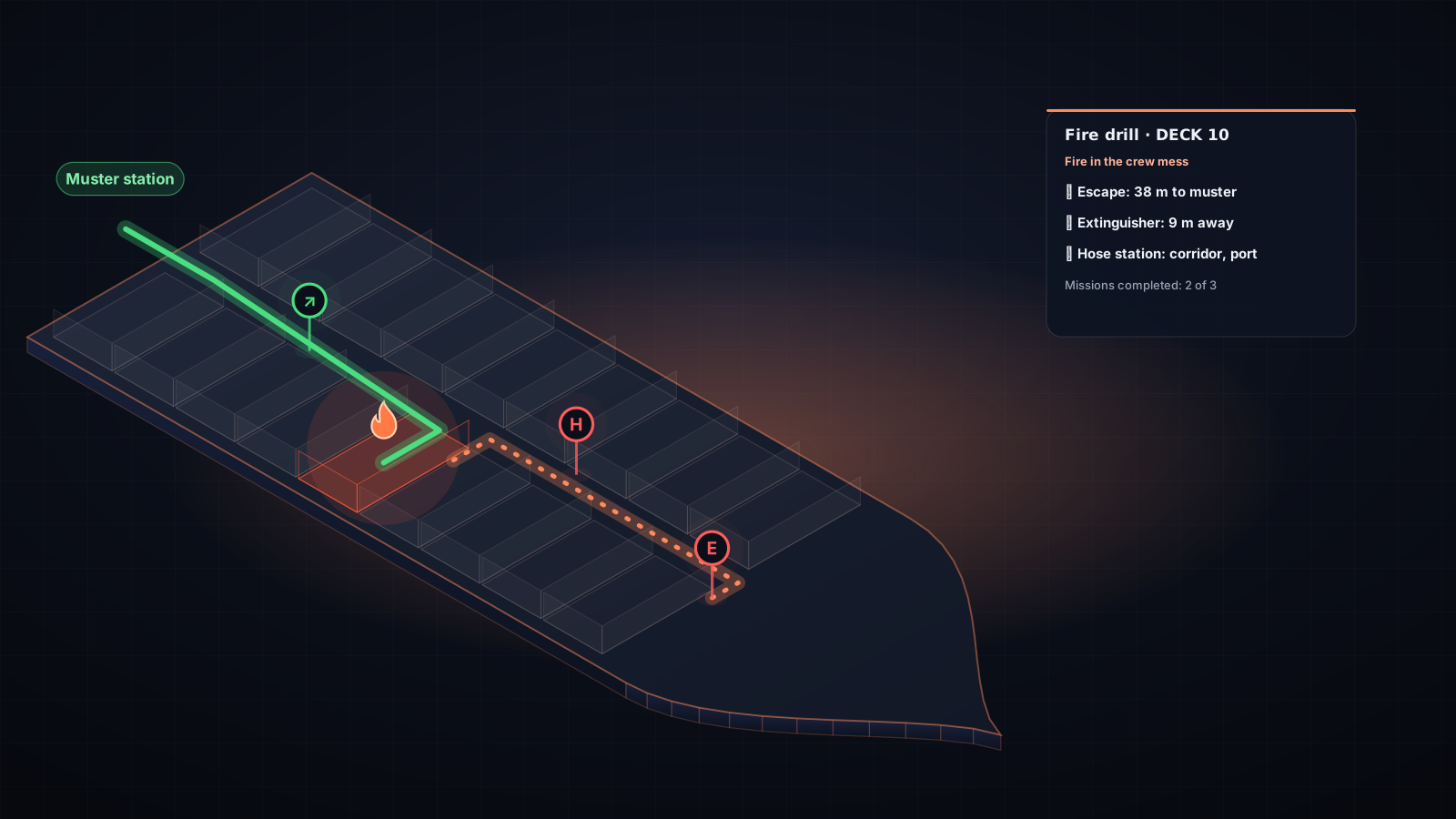
Crew who know the ship before they board.
New crew spend their first weeks learning where everything is. With Crew, they walk the actual ship, deck by deck, before they ever step on board.
- Walk every deck in first person, with rooms named as you pass and a live minimap.
- Find and follow routes between any two spaces, guided along the way.
- Fire and safety equipment from the Fire Control Plan, placed where it really is on board.
- Soon on your phone: the 3D ship follows you as you walk, so you can find your way on board. See how →
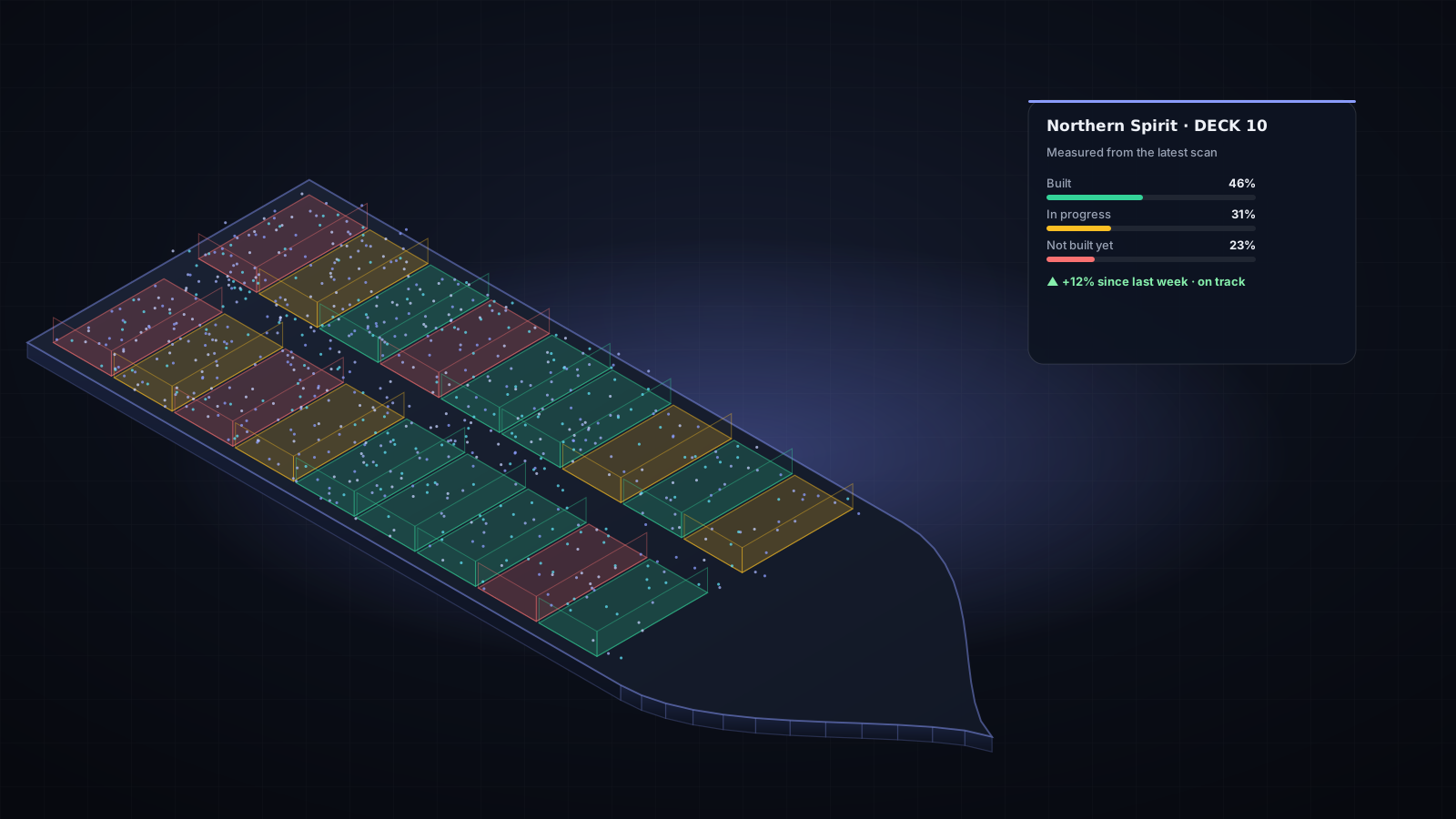
See real build progress, not estimates.
Build ties the schedule, the issues and the people to the 3D ship. With Build+, laser scans of each deck show what is actually built, room by room.
- Every ship at a glance: progress, schedule, open issues and days to delivery.
- Schedule per deck compared with measured progress, so you see who is on track and who is behind.
- Issues, tasks and milestones pinned to the exact spot on the ship, with owners and due dates.
- Build+: scans aligned automatically, and rooms coloured built, in progress or not built yet.
- Reports for the owner and the yard, as Excel or print.
Cut with the hazards in plain sight.
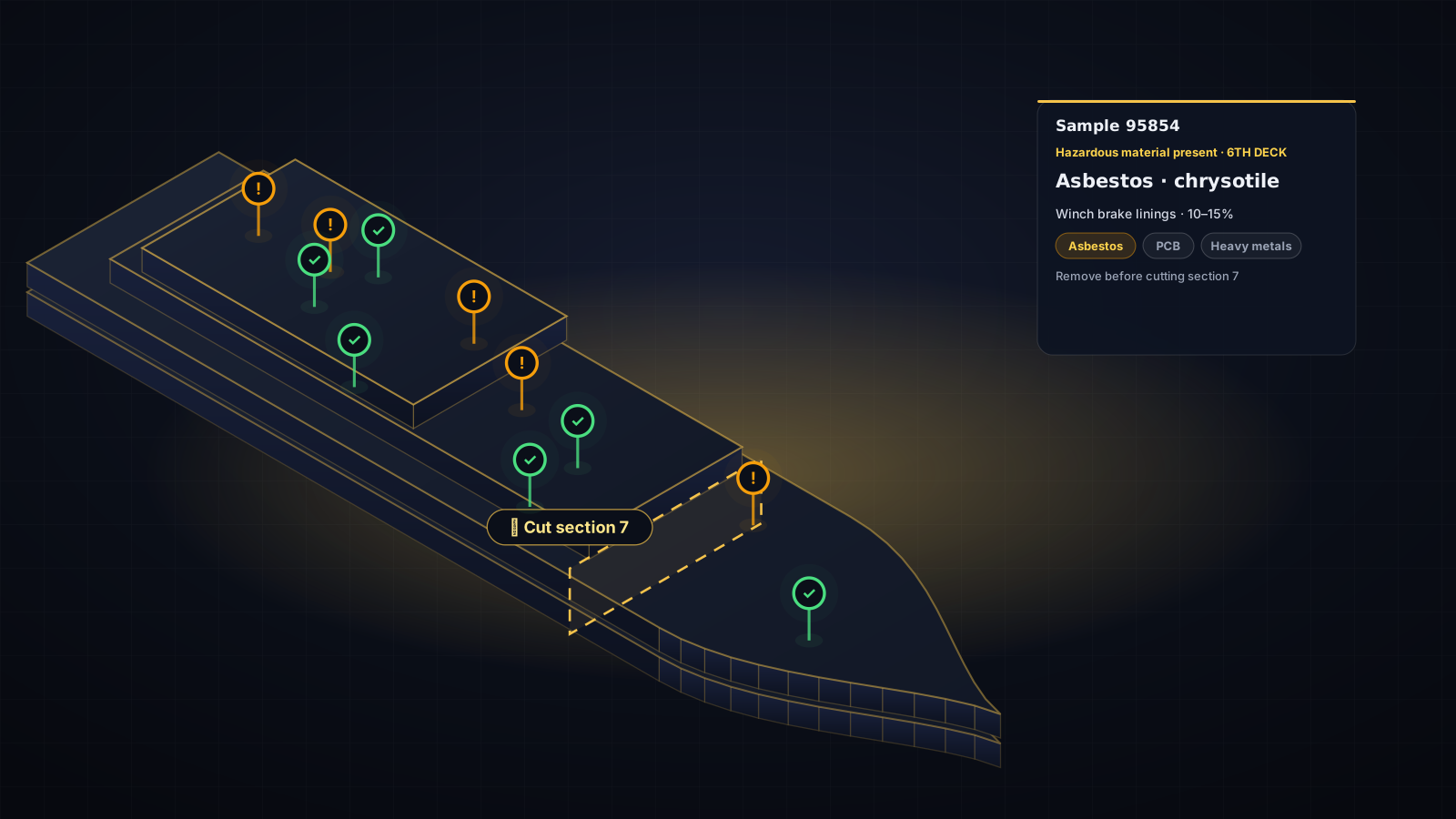
An IHM report is hundreds of pages of tables and sketches. Cut reads the whole report and puts every sample on the ship, so the yard plans each cut knowing what is inside the steel.
- Loads the full IHM report: sample drawings and laboratory tables, read together.
- Every sample point on the ship, on the deck and in the place it was taken.
- Hazard at a glance: pins coloured by result, and filters by material such as asbestos, PCB or heavy metals.
- Safer, faster cutting plans, with the 3D ship and its hull opened up for clear sight.
Navigate on board, from your phone.
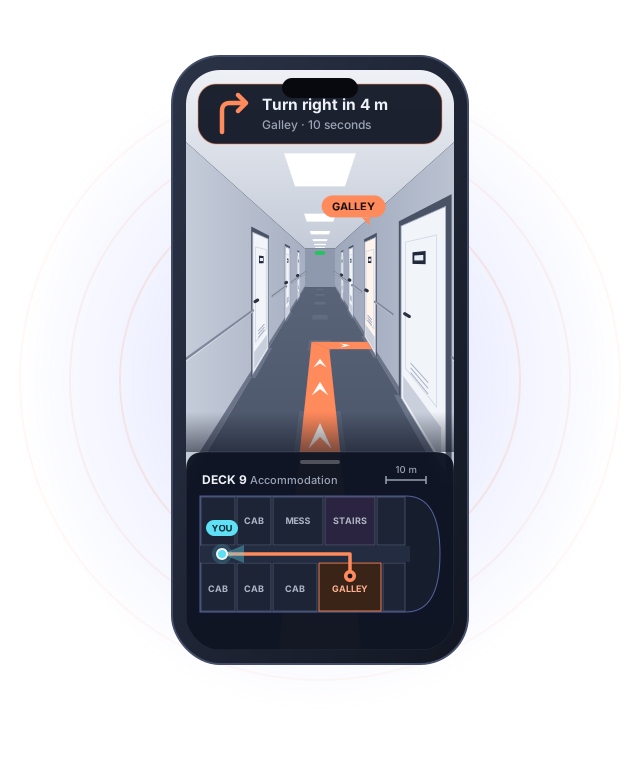
The walkable 3D ship is coming to the phone. It follows you as you walk, so the screen always shows where you are on board, which way you are facing, and the way to where you need to go.
- Follows you as you walk: your position and direction on the right deck, as you move.
- Turn-by-turn on board: to any room, muster station or piece of equipment, through doors and up the stairs.
- In an emergency: the quickest way out, from wherever you are standing.
- For crew, yards and visitors: anyone on board finds their way on day one.
From the plan, or from the plan and the real ship.
Every product works from the GA alone. Add + and it includes the scanner too, so laser scans are aligned to the ship and compared with the plan.
VISHAUZGA only
The 3D ship built from the general arrangement, with everything each product does on it.
- 3D model from the GA
- Decks, compartments, doors and stairs
- Routes, walk-through and measuring
VISHAUZ+GA and scanner
Everything in the GA edition, plus laser scans of the real ship, lined up with the plan.
- Laser scans aligned to the GA automatically
- The as-built ship in real colour, next to the plan
- Progress and differences measured from the scans
Built for the people who work on ships.
Shipyards
Plan installations, track the build and report progress from one place.
Owners & managers
Follow every newbuild and refit with figures you can trust.
Crew training
Familiarisation and fire drills on the ship the crew will sail.
Ship recyclers
Hazardous materials mapped onto the ship before cutting starts.
See your own ship in 3D.
Send us your ship's GA and tell us what you need. We'll set Vishauz up on your own ship so you can try it.
Or email us directly at [email protected]